
BLUEBEAM
Bluebeam Software in India
Bluebeam India is an industry-leading productivity and coordination solution built for architecture, engineering and construction professionals. Trusted by more than 4 million users worldwide, Bluebeam helps teams work smarter with information-rich PDF markups, precision measurements, quantity takeoffs, drawing comparisons, document management and real-time collaboration.
Connect PDF, CAD, BIM and project workflows in one easy-to-use solution. Review drawings, identify revisions, standardize markups and keep office and field teams aligned using Bluebeam Revu for Windows and Bluebeam on web and mobile.
What is Bluebeam?
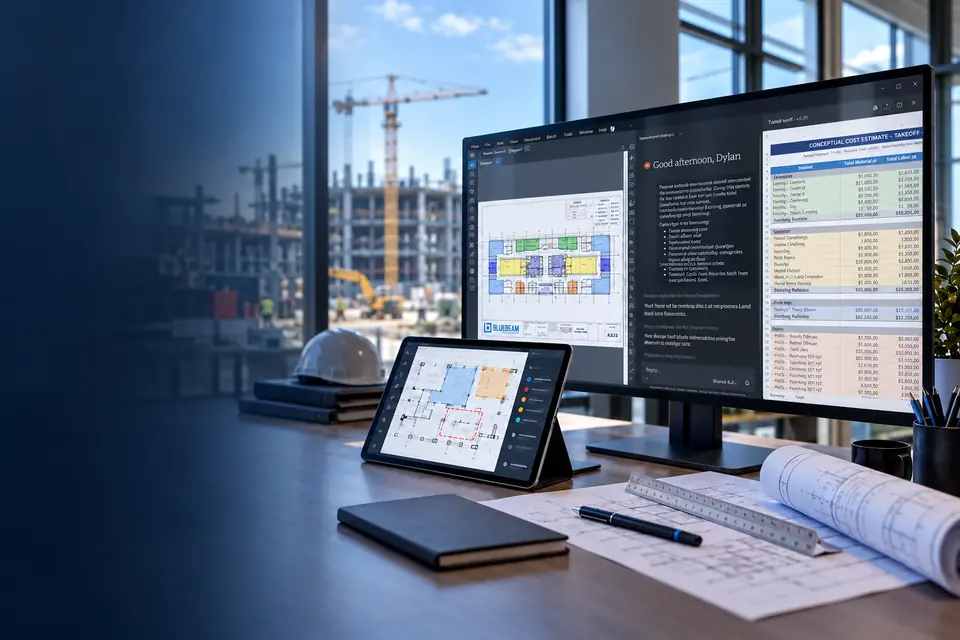
Bluebeam provides a complete PDF markup, measurement and collaboration solution for architecture, engineering and construction professionals. Trusted by more than four million users worldwide, Bluebeam helps project teams work smarter, communicate clearly and manage drawing-based workflows more efficiently.
Bluebeam India brings PDF, CAD, BIM and project-document workflows together in one easy-to-use solution. Teams can create and edit PDFs, add information-rich markups, perform calibrated measurements, complete quantity takeoffs, compare drawing revisions and organize complex document sets.
With Bluebeam Studio, internal and external project stakeholders can review documents, add comments and collaborate in real time. This creates a connected source of project information, reduces version confusion and keeps office and field teams aligned throughout the project lifecycle.
Organizations evaluating Bluebeam Revu India can access supported workflows across Windows desktop, web and mobile, enabling users to review drawings, update documents and continue working from the office or jobsite.

Accelerate Drawing Reviews, Takeoffs and Team Collaboration with Bluebeam
Empower your teams, improve project outcomes and get more value from your drawings.
Why Choose Bluebeam?

Communicate Clearly
Add information-rich markups to PDF drawings and documents using text, shapes, callouts, stamps and measurement tools.The Bluebeam Markups List captures important details and metadata, allowing teams to sort, filter, assign, track and report project comments more effectively.

Coordinate Effectively
Keep everyone aligned across teams, project stages and locations with Bluebeam Studio Projects and Studio Sessions.Collaborate on a shared source of project information, review drawings together and reduce confusion caused by disconnected communication or outdated document versions.
Maximize Productivity
Automate repetitive tasks and streamline drawing, takeoff and document-management workflows with Bluebeam.Use calibrated measurements, drawing comparisons, batch-processing tools and workflow automation to reduce manual effort and complete project tasks faster.
Flexible Bluebeam plans for individuals and teams—from essential PDF tools to advanced collaboration,
Choose the Right Bluebeam Plan
Basics
Essential Bluebeam PDF markup and document-management tools for individual users.
- Create, view and edit PDFs
- Basic markup and measurement tools
- Participate in Studio collaborations
Core
Professional-grade markup, measurement and collaboration tools for AEC teams.
- Everything included in Basics
- Advanced measurement and takeoff tools
- Host and manage Studio collaborations
Complete
Advanced Bluebeam automation tools for teams managing complex document workflows.
- Everything included in Core
- Dynamic Fill and Quantity Link
- Batch processing and workflow automation
Max
Premium Bluebeam capabilities powered by AI and advanced workflow technologies.
- Everything included in Complete
- AI-assisted workflows through MCP
- Magic Markups, Smart Review and Smart Overlay
Explore
Download the datasheet to compare features and plans.
From design review and estimation to construction coordination and project delivery. Bluebeam India helps teams work efficiently at every stage.
Powerful Tools for Every Project Stage
PDF Markup
Annotate, mark up and collaborate on PDFs with powerful, industry-leading tools.
Measurement & Takeoff
Get accurate measurements and quantity takeoffs directly from your drawings.
Document Management
Organize, compare and manage project documents with greater speed and control.
Studio Collaboration
Work in real time with your team from the office, jobsite or anywhere.
Field Workflows
Take project drawings to the field with mobile access and seamless synchronization.
Meet Bluebeam Max
AI-powered insights. Greater efficiency. A smarter way to build.
Bluebeam Max combines advanced Bluebeam technologies with AI-assisted capabilities to help project teams find information faster, automate repetitive workflows and coordinate more effectively across PDF and BIM environments.
ENQUIRE ABOUT MAX →AI-Assisted Workflowsr
Use Revu connected to AI through MCP to assist with supported workflows and information discovery.
Smart Review & Smart Overlay
Use AI-assisted capabilities to review drawings and identify changes across drawing sets.
Connected PDF & BIM Workflows
Connect Studio Sessions with Revit for coordinated 2D and 3D workflows.
Seamless Integrations and Workflows
Connect Bluebeam with your existing tools and processes.
File Systems
Project Management
Cloud Storage
Business Applications
Custom Integrations
Frequently Asked Questions
What is Bluebeam?
Bluebeam India is a PDF markup, measurement, document-management and collaboration solution built for architecture, engineering and construction professionals. It helps teams review drawings, complete takeoffs, manage project documents and coordinate work more efficiently.
What is Bluebeam used for?
Bluebeam is used to create and edit PDFs, add information-rich markups, perform calibrated measurements, calculate quantities, compare drawing revisions and collaborate on project documents. It connects PDF, CAD, BIM and project-management workflows in one solution.
Who can benefit from Bluebeam software?
Bluebeam India is suitable for architects, engineers, contractors, estimators, quantity surveyors, project managers, document controllers and field teams. It is especially useful for professionals who regularly review, measure, coordinate or manage construction drawings.
What is Bluebeam Revu?
Bluebeam Revu is the Windows desktop application within the Bluebeam solution. It provides tools for PDF creation, markup, measurement, quantity takeoff, drawing comparison, document management, Studio collaboration and workflow automation.
What Bluebeam plans are available?
Bluebeam India is available in four plans: Basics, Core, Complete and Max. Organizations can mix and match these plans based on the markup, measurement, collaboration, automation and AI-assisted workflow requirements of different users.
What is included in Bluebeam Basics?
The Basics plan includes PDF creation, viewing, editing and markup tools. Users can measure length and area, manage annotations through the Markups List, save reusable tools and participate in existing Studio collaborations.
What additional features are included in Bluebeam Core?
Bluebeam Core includes everything in Basics plus advanced measurements, specialty 2D and 3D PDF markup tools, drawing overlay, batch comparison, CAD plugins and the ability to create and manage Studio Projects and Sessions.
Is Bluebeam Revu subscription-based?
Yes. Bluebeam Revu is available through subscription plans: Basics, Core, Complete and Max. Organizations can select different plans based on the requirements of individual users.
What is included in Bluebeam Complete?
Bluebeam Complete includes everything in Core plus Dynamic Fill, Quantity Link with Microsoft Excel, Batch Link, Batch Slip Sheet, batch signatures and scripting commands. It is designed for teams that need advanced takeoff and document-automation workflows.
What is Bluebeam Max?
Bluebeam Max is the premium Bluebeam plan. It includes everything in Complete plus Revu connected to AI through MCP, Magic Markups, automated multi-view Stitching, Smart Review, Smart Overlay and Connected Studio Sessions with Revit.
Can Bluebeam be used for quantity takeoffs?
Yes. Bluebeam India supports calibrated measurements for length, area, perimeter, volume, angles and counts. Selected plans also include Dynamic Fill, custom calculation columns and Quantity Link with Microsoft Excel for advanced quantity takeoff workflows.
What PDF markup tools are available in Bluebeam?
It provides text, highlighters, shapes, callouts, stamps, vector-pen annotations, custom hatch patterns and photo markups. Users can save standardized tools in the Tool Chest and track markup information through the Markups List.
Does Bluebeam support real-time collaboration?
Yes. Its Studio allows internal and external project participants to review PDFs, add markups, reply to comments and collaborate in real time. Studio helps maintain a connected source of project documents and markup activity.
Can Bluebeam compare drawing revisions?
Yes. Bluebeam can compare and overlay PDF drawing revisions to identify changes. Selected plans include batch comparison and automatic alignment, while Bluebeam Max adds Smart Overlay for AI-assisted drawing-set comparison.
Does Bluebeam integrate with CAD, BIM and business applications?
Depending on the selected plan, It supports workflows with Microsoft Office, Outlook, Excel, SharePoint, AutoCAD, Revit, Navisworks, SolidWorks, ProjectWise, Procore and compatible document-management systems.
Can Bluebeam be accessed on desktop, web and mobile?
Yes. Bluebeam India is available across Windows desktop, supported web browsers and mobile devices. Teams can view documents, add markups, complete selected measurements and access Studio files from the office or jobsite.
Where can I buy Bluebeam software?
You can contact Sravani Infotech to purchase Bluebeam software and discuss available licensing options. The team can help you compare Bluebeam Basics, Core, Complete and Max before selecting a plan for your organization.
Is Sravani Infotech an Authorized Bluebeam Partner?
Yes. Sravani Infotech is an Authorized Bluebeam Partner in India, providing genuine Bluebeam licences, product guidance and customer support. Purchasing through an authorized partner helps ensure legitimate licensing and access to the appropriate product resources.
Why choose Sravani Infotech as your trusted Bluebeam partner?
Sravani Infotech has experience supporting CAD, BIM and engineering software workflows. Its understanding of AEC requirements helps customers evaluate Bluebeam based on team size, project processes, measurement needs, collaboration requirements and existing software environments.
Can Sravani Infotech provide a Bluebeam demonstration and plan consultation?
Yes. Sravani Infotech can arrange a personalized Bluebeam demonstration and help evaluate your requirements. The team can explain relevant markup, takeoff, collaboration and automation capabilities before recommending a suitable Bluebeam plan.
Does Sravani Infotech provide Bluebeam after-sales and technical support?
Yes. Sravani Infotech provides onboarding assistance, implementation guidance and after-sales support for Bluebeam customers. Its dedicated technical team can assist with product-related queries, licence coordination, user adoption and ongoing usage requirements.