
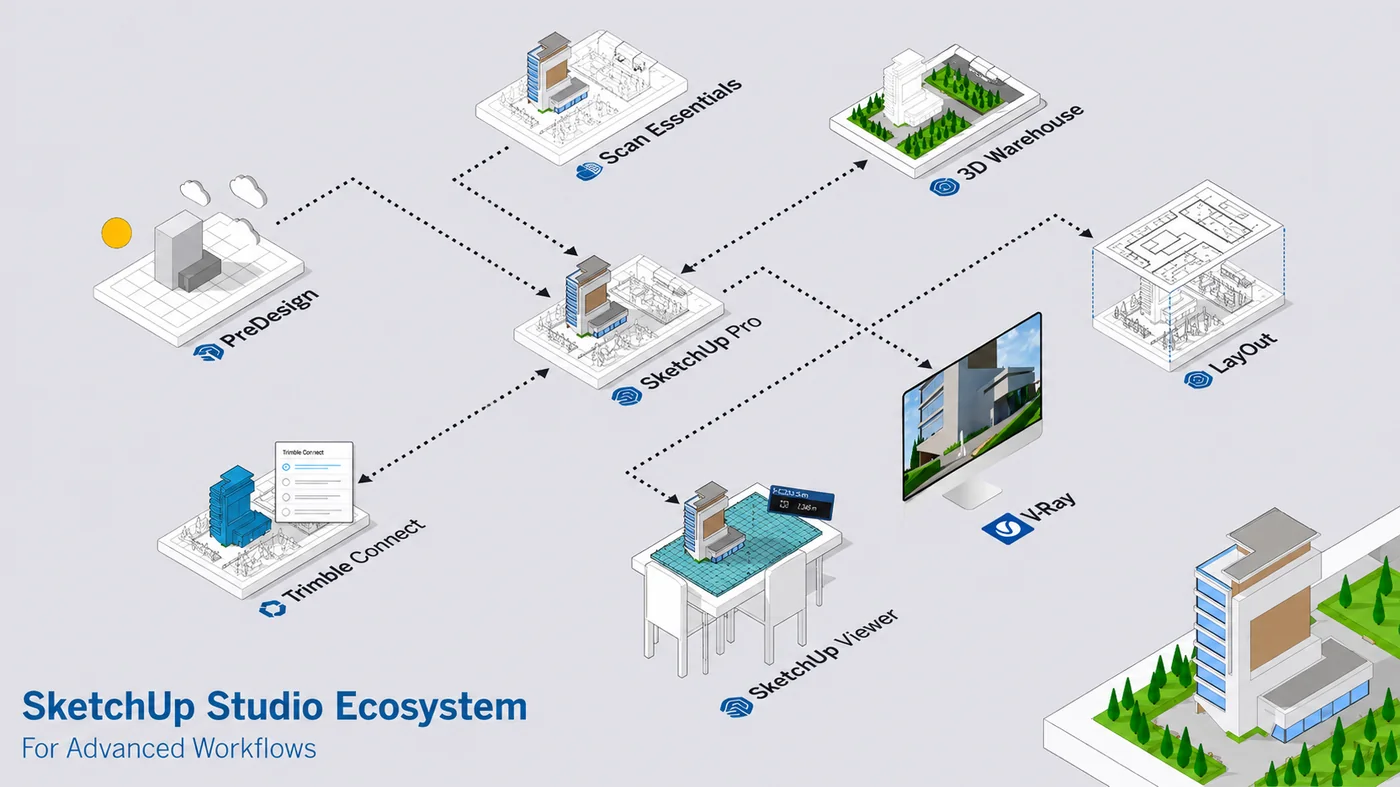
SketchUp Studio Ecosystem: Connect Your AEC Workflow
Still using disconnected tools for design? That could be costing your team valuable time.
Most AEC teams today work with multiple software tools for planning, modeling, visualization, documentation, collaboration, and presentation. But when these tools do not connect properly, the result is often rework, data loss, repeated effort, and project delays.
The SketchUp Studio Ecosystem helps solve this problem by connecting your design workflow from early-stage planning to final presentation. Instead of jumping between disconnected tools, AEC teams can work through a more seamless and practical design process.
With SketchUp Studio, your team can start with climate-based insights, bring real-world site conditions into the model, create design concepts quickly, visualize projects professionally, prepare drawings, collaborate with teams, and share models more easily.
Everything works together. No gaps. No repeated work.
Why Disconnected Design Tools Slow Down AEC Teams
In many architecture, engineering, and construction workflows, different teams use different tools for different stages of the project. One tool may be used for early planning, another for 3D modeling, another for rendering, another for documentation, and another for collaboration.
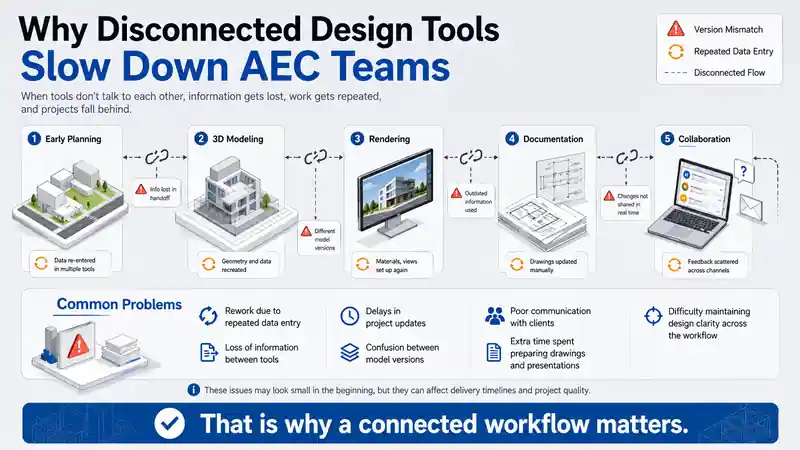
This disconnected approach can create common problems such as:
- Rework due to repeated data entry
- Loss of information between tools
- Delays in project updates
- Confusion between model versions
- Poor communication with clients
- Extra time spent preparing drawings and presentations
- Difficulty maintaining design clarity across the workflow
These issues may look small in the beginning, but they can affect delivery timelines and project quality.
That is why a connected workflow matters.
What Is the SketchUp Studio Ecosystem?
The SketchUp Studio Ecosystem is a connected workflow that supports AEC teams from concept to communication.
It brings together important tools such as:
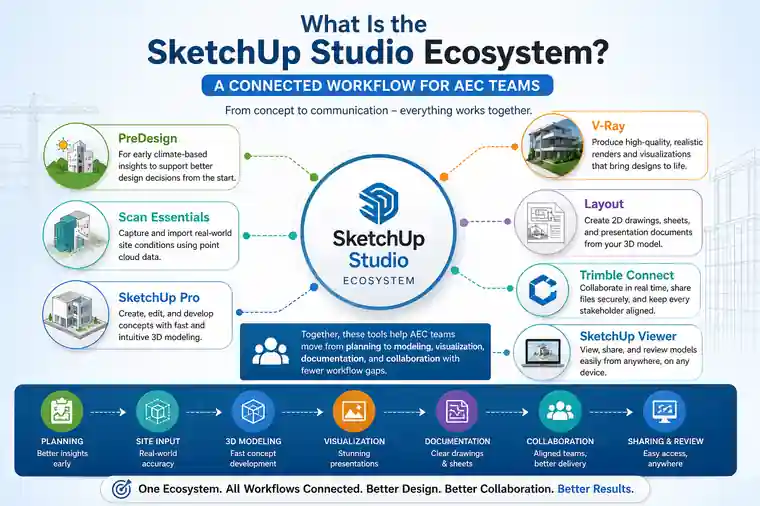
- PreDesign for early climate-based insights
- Scan Essentials for real-world site conditions and point cloud data
- SketchUp Pro for fast 3D modeling and concept development
- V-Ray for professional visualization and rendering
- Layout for drawings and presentation documentation
- Trimble Connect for collaboration and file coordination
- SketchUp Viewer for easy model sharing and review
Together, these tools help AEC teams move from planning to modeling, visualization, documentation, and collaboration with fewer workflow gaps.
How SketchUp Studio Connects the Complete Design Workflow
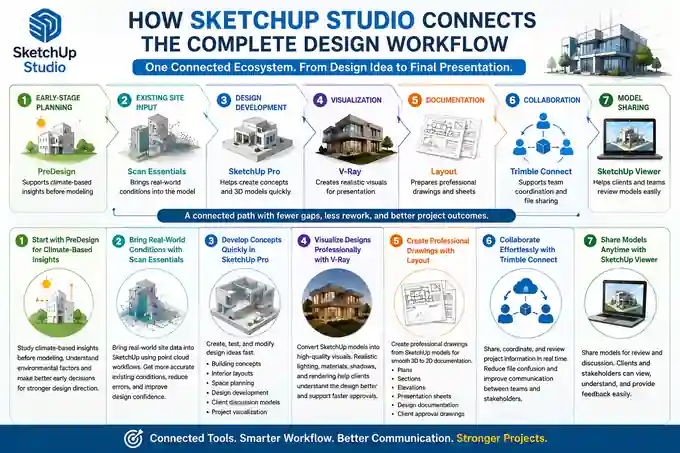
The strength of the SketchUp Studio Ecosystem is not just in individual software features. Its real value comes from how these tools work together in a practical project workflow.
| Workflow Stage | Tool | How It Helps |
|---|---|---|
| Early-stage planning | PreDesign | Supports climate-based insights before modeling |
| Existing site input | Scan Essentials | Brings real-world conditions into the model |
| Design development | SketchUp Pro | Helps create concepts and 3D models quickly |
| Visualization | V-Ray | Creates realistic visuals for presentation |
| Documentation | Layout | Prepares professional drawings and sheets |
| Collaboration | Trimble Connect | Supports team coordination and file sharing |
| Model sharing | SketchUp Viewer | Helps clients and teams review models easily |
This means the project does not have to move through broken or isolated steps. Instead, teams can follow a more connected path from design idea to final presentation.
Start with PreDesign for Climate-Based Insights
Every good project begins with better early decisions.
With PreDesign, teams can study climate-based insights before starting detailed modeling. This helps designers understand important environmental factors and make more informed decisions at the beginning of the project.
For architects and AEC teams, this early clarity can help improve design direction before too much time is invested in the model.
Bring Real-World Conditions with Scan Essentials
Many projects depend on existing site conditions. This is especially important in renovation, interior, construction, and as-built documentation projects.
Scan Essentials allows teams to bring real-world site data into SketchUp using point cloud workflows. This helps designers work with more accurate existing conditions instead of depending only on manual assumptions.
By connecting site reality with the design model, teams can reduce errors and improve design confidence.
Develop Concepts Quickly in SketchUp Pro
SketchUp Pro helps teams create, test, and modify design ideas quickly.
AEC professionals can use it for:
- Building concepts
- Interior layouts
- Space planning
- Design development
- Client discussion models
- Project visualization
Because SketchUp Pro is flexible and visual, teams can communicate ideas clearly and make faster design decisions.
Visualize Designs Professionally with V-Ray
Design communication becomes stronger when clients can clearly see the final intent.
With V-Ray, SketchUp models can be converted into high-quality visuals for presentations, approvals, marketing, and design reviews. Realistic lighting, materials, shadows, and rendering help clients understand the project better.
This improves client communication and supports faster approvals.
Create Professional Drawings with Layout
A 3D model is powerful, but AEC projects also need drawings, sheets, annotations, and presentation documents.
Layout helps teams create professional drawings from SketchUp models. This supports a smoother movement from 3D design to 2D documentation.
Teams can use Layout for:
- Plans
- Sections
- Elevations
- Presentation sheets
- Design documentation
- Client approval drawings
This reduces repeated work and helps maintain design clarity.
Collaborate Effortlessly with Trimble Connect
Project collaboration is one of the most important parts of an AEC workflow.
With Trimble Connect, teams can share, coordinate, and review project information more efficiently. This helps reduce file confusion and supports better communication between team members and stakeholders.
When collaboration is connected to the design workflow, teams can avoid unnecessary delays and repeated communication gaps.
Share Models Anytime with SketchUp Viewer
Not every client or stakeholder needs to edit the model. Many people simply need to view, understand, and review the design.
SketchUp Viewer makes it easier to share models for review and discussion. This helps improve client communication and allows project stakeholders to understand the design more clearly.
A shared 3D model can often explain the design better than drawings alone.
Key Benefits of the SketchUp Studio Ecosystem
The SketchUp Studio Ecosystem helps AEC teams work with better clarity and fewer workflow gaps.
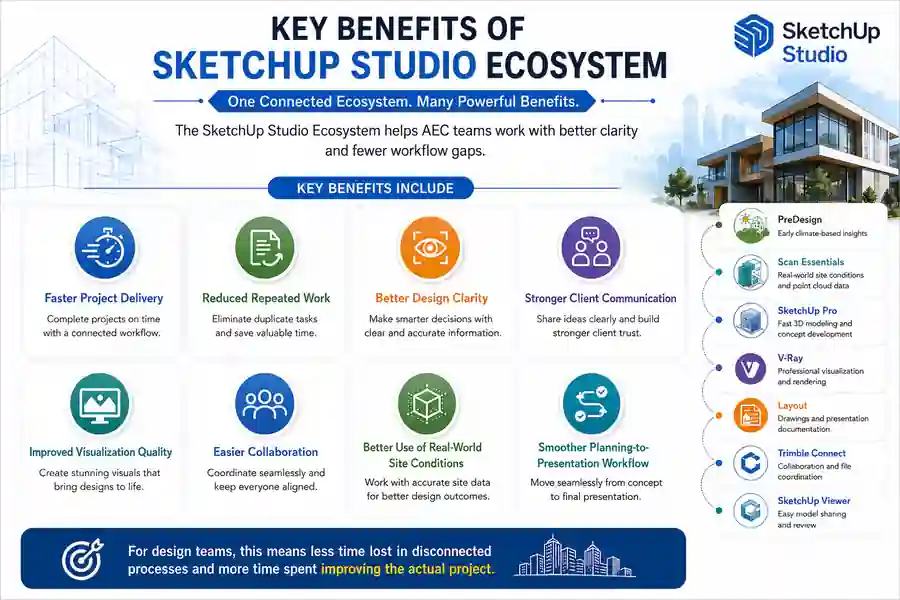
Key benefits include:
- Faster project delivery
- Reduced repeated work
- Better design clarity
- Stronger client communication
- Improved visualization quality
- Easier collaboration
- Better use of real-world site conditions
- Smoother planning-to-presentation workflow
For design teams, this means less time lost in disconnected processes and more time spent improving the actual project.
How Sravani Infotech Helps You Implement SketchUp Studio
At Sravani Infotech, we help you implement SketchUp Studio in a way that fits your actual workflow, not just the software features.
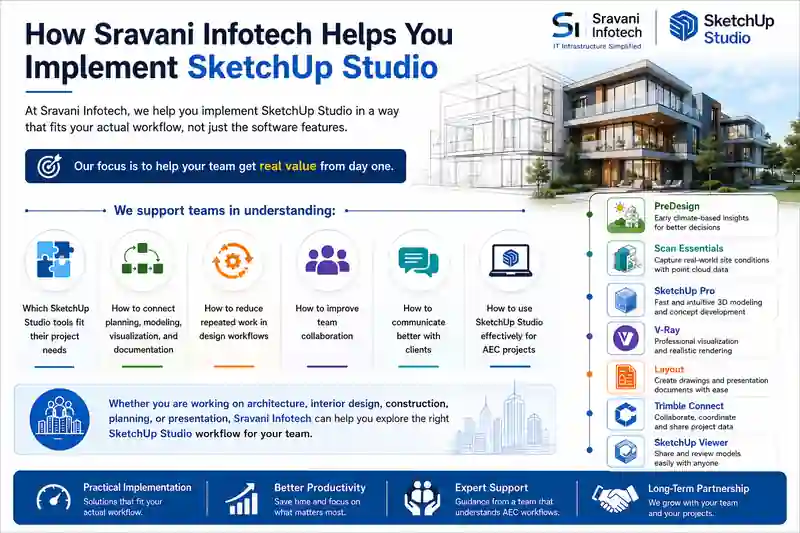
Our focus is to help your team get real value from day one.
We support teams in understanding:
- Which SketchUp Studio tools fit their project needs
- How to connect planning, modeling, visualization, and documentation
- How to reduce repeated work in design workflows
- How to improve team collaboration
- How to communicate better with clients
- How to use SketchUp Studio effectively for AEC projects
Whether you are working on architecture, interior design, construction, planning, or presentation, Sravani Infotech can help you explore the right SketchUp Studio workflow for your team.
Conclusion
Disconnected tools can slow down design teams, create rework, and reduce project clarity.
The SketchUp Studio Ecosystem helps connect your workflow from early-stage planning to final presentation. With PreDesign, Scan Essentials, SketchUp Pro, V-Ray, Layout, Trimble Connect, and SketchUp Viewer, AEC teams can work through a more seamless design process.
Everything works together. No gaps. No repeated work.
This means faster project delivery, better design clarity, and stronger client communication.
Want to see how this works for your projects?
Call Sravani Infotech for a demo or more details:
Sales:
+91 97031 17055, +91 99861 44241
FAQ on SketchUp Studio Ecosystem
1. What is the SketchUp Studio Ecosystem?
The SketchUp Studio Ecosystem is a connected design workflow that brings together tools for planning, 3D modeling, visualization, documentation, collaboration, and model sharing.
2. How does SketchUp Studio help AEC teams?
SketchUp Studio helps AEC teams reduce rework, avoid disconnected workflows, improve design clarity, and deliver projects faster.
3. Which tools are included in the SketchUp Studio Ecosystem?
The ecosystem includes tools such as PreDesign, Scan Essentials, SketchUp Pro, V-Ray, Layout, Trimble Connect, and SketchUp Viewer.
4. Why are disconnected tools a problem in design workflows?
Disconnected tools can create repeated work, data loss, file confusion, delays, and poor communication between teams and clients.
5. How can Sravani Infotech help with SketchUp Studio?
Sravani Infotech helps AEC teams understand and implement SketchUp Studio based on their actual project workflow, so they get practical value from the software.